April 2026 Product Update
Last updated: April 7, 2026
🗂 Mission Control Updates
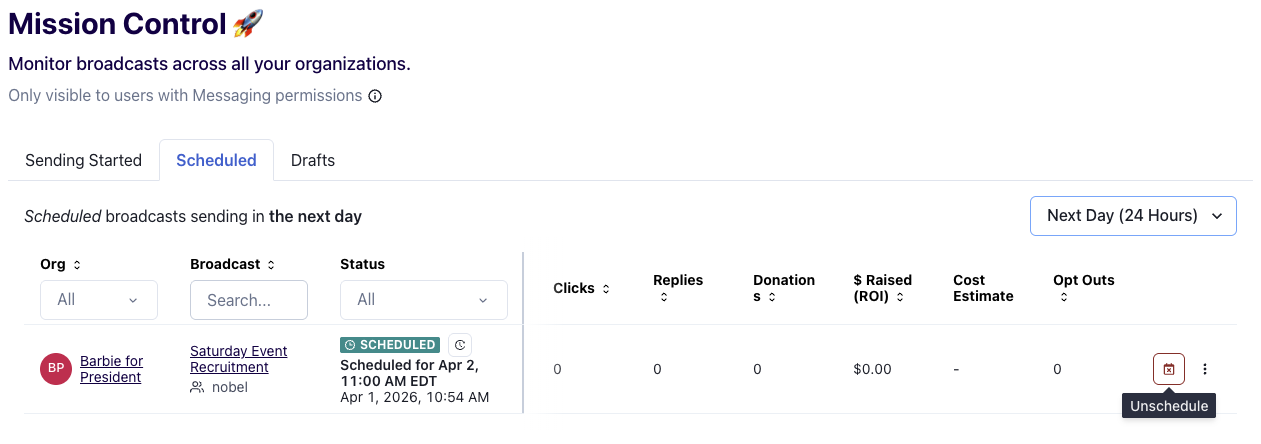
Mission Control keeps getting better with three new improvements to help you stay on top of your broadcast workflow:
Drafts Tab — You can now see all of your draft broadcasts across organizations, so nothing slips through the cracks.
Unschedule — Need to pull back a scheduled broadcast? You can now unschedule it directly from the Scheduled tab without having to navigate to the organization.
Date Filters — You can now use the dropdown menu to change your date filters, ranging from 24 hours to 31 days.
📈 Broadcast Analytics Over Time
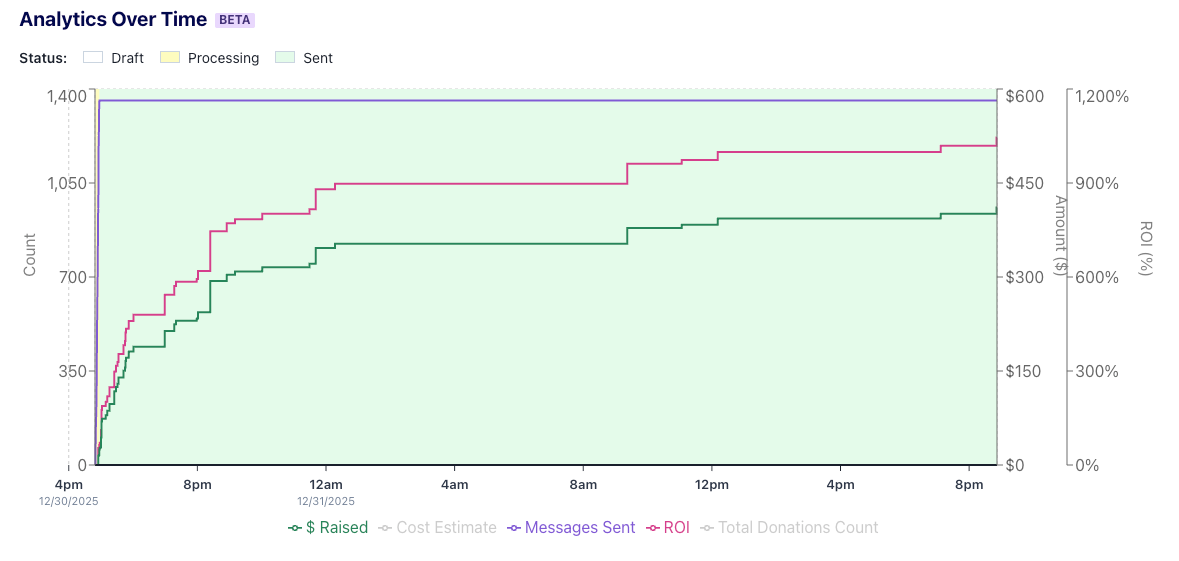
Head to the bottom of any broadcast page and look for the Broadcast Performance section — you'll find a new Broadcast Analytics Over Time chart showing:
Messages Sent
Amount Raised
Total Donations
ROI
🔄New: Sticky Sender Management
By default, recipients receive broadcasts from the same number in your 10DLC sending pool every time — we call this "sticky sender." It creates a consistent thread experience for your recipients.
Now, you have the option to disable sticky sender for any of your accounts with 10DLC numbers. When disabled, recipients will receive messages from any available number in your sending pool — keeping sending numbers fresher and potentially improving performance.
A few things to keep in mind:
Due to compliance requirements, it's not possible for every recipient to receive a message from a completely new number on every send — but disabling sticky sender will meaningfully increase number variety.
Changed your mind? You can turn sticky sender back on at any time. When re-enabled, the most recent sending number will "stick" for each recipient going forward.
🔑 Updates to Permissioning Capabilities
Organization owners can now add other owners to the organization — either via a new invite or by editing an existing member's permissions. You can update permissions on the Members page here.
Organization admins can also now turn on data sharing between two organizations! Reminder: You can use the data sharing feature to send lists directly between two organizations, or suppress audiences from one organization in another (especially great for those running both longcode and shortcode programs in Switchboard).
🔢 New Audience Builder Filters
We're rolling out message send count filters in Switchboard Collective. This allows you to filter on how many messages a contact has been sent over a given time window — for example, targeting people who have been sent fewer than 3 messages in the last 30 days.
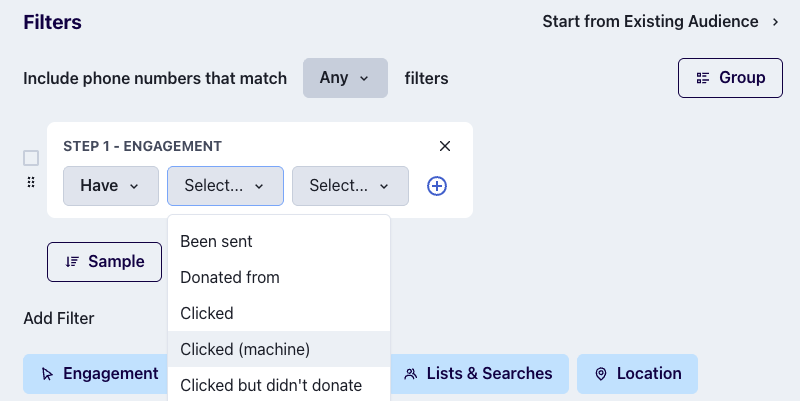
You can also now filter based on bot (machine) clicks in the Engagement filter.
🔐 New: Hash File Suppression
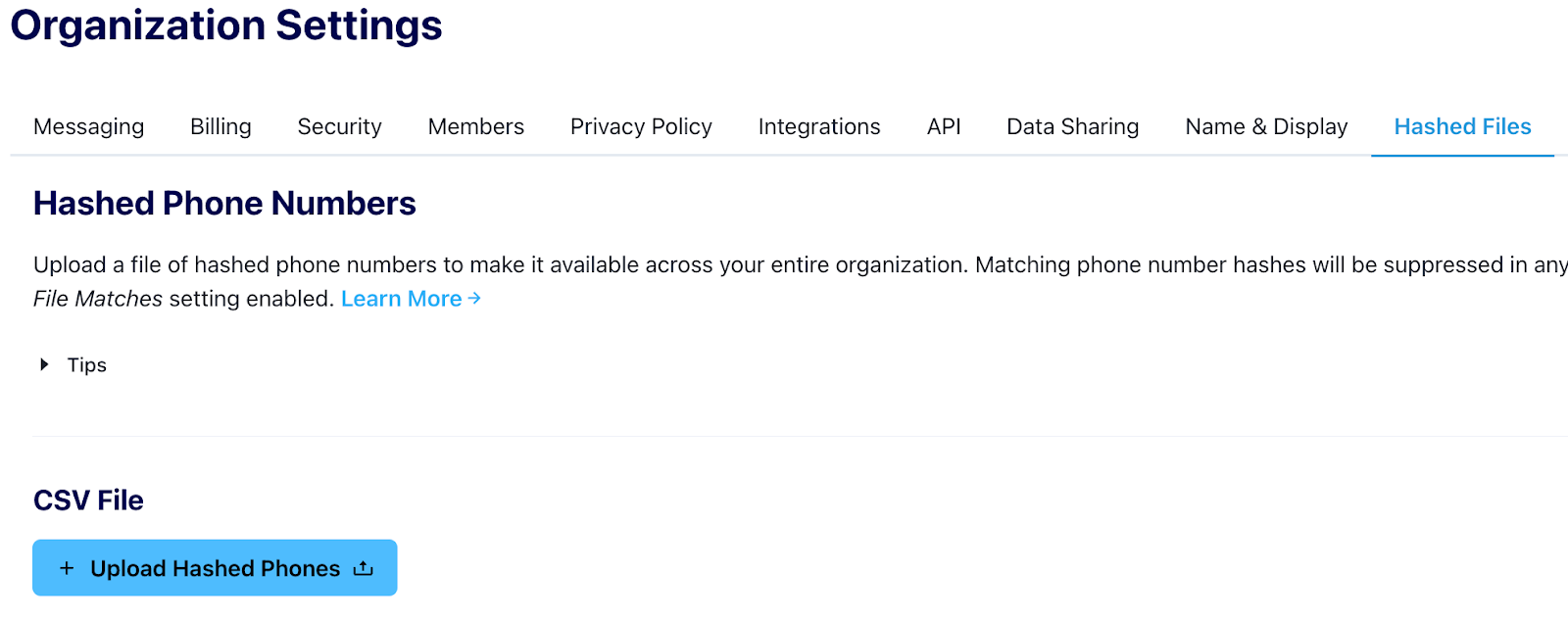
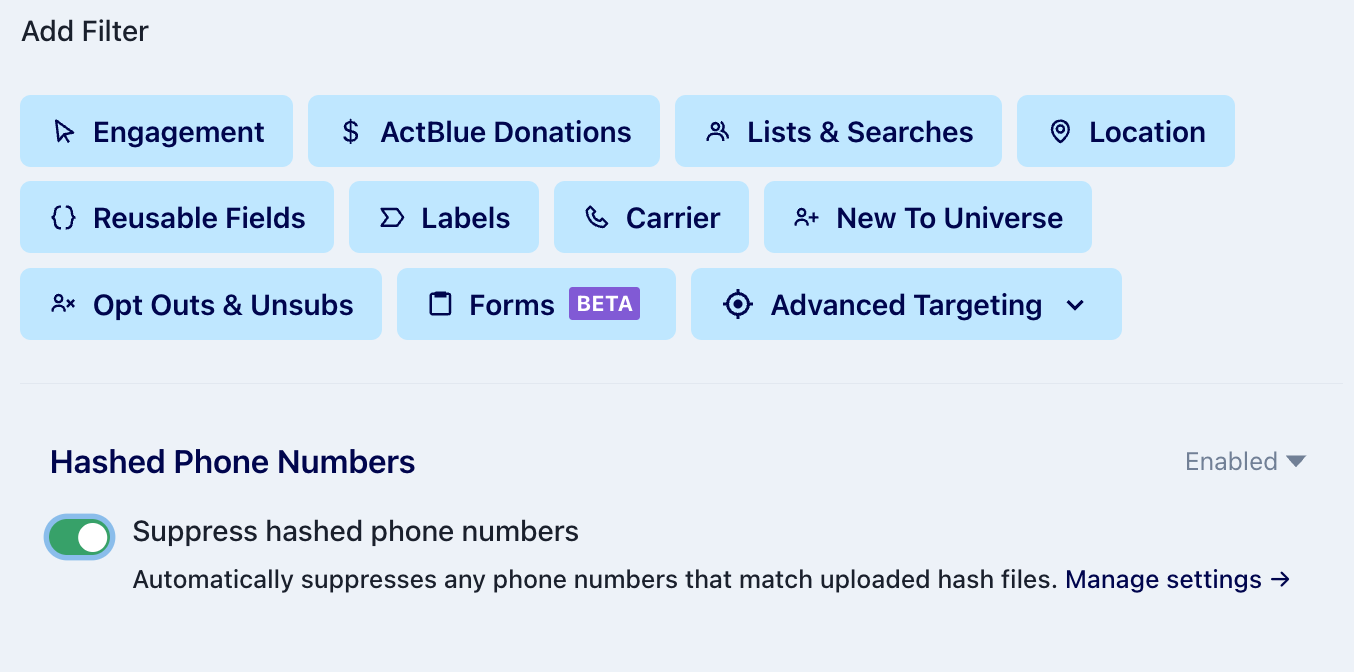
You can now upload a file of hashed phone numbers into Switchboard and use it to suppress matching numbers from phone audiences. This is especially useful for privacy-conscious workflows where you need to suppress a list without exposing raw phone numbers.
To suppress a hash file, enable the Hashed Phone Numbers feature in Organization Settings and upload your hash file.
Then toggle on “Suppress hashed phone numbers” in the Audience Builder when you’re creating a new audience!
📚 Learn how to upload and use hash files here!
🪞 SQL Mirror Update: html_content and text_content Columns
The email_blasts table in your SQL mirror now includes two new columns:
html_content
text_content
You can find more information about the mirror and sample queries in the SQL mirror data docs.