Query Parameters
Last updated: May 4, 2026
Any query parameters on a webform link will be saved in the webform response. For example, if you share this form on your candidate's website and their social page using the links below (where the only difference is the ?source= parameter), you'll see a column in your form responses called source.
https://forms.barbie4prez.us/new-member-form?source=website
https://forms.barbie4prez.us/new-member-form?source=social
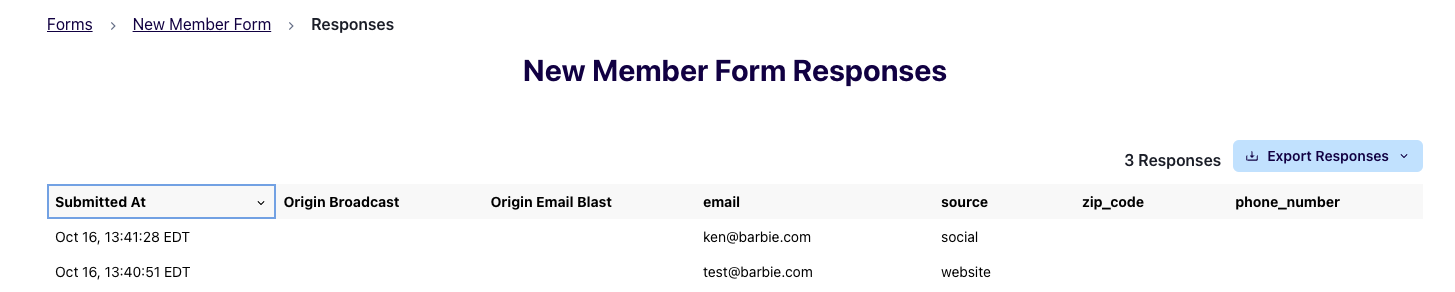
Switchboard will also pass along query parameters to the Redirect URL you send supporters to after the fill out your form. You could could you insert your form into a broadcast message with query parameters, shorten using a shortlink, like this:
{{"https://forms.barbie4prez.us/new-member-form?source=social" | sb_link }}
In this example, we'd pass along ?source=social. It's up to the site you redirect users to if they will accept these query parameters, but this will work on external sites like ActBlue.