Exporting emails
Last updated: September 21, 2026
How can I export all email addresses in my org?
Click “All Email Addresses” here then “Export All Emails.”
How can I export email blast data?
Click “Email Blasts” here then “Export Email Blast Data.” This will create a csv of all the email blasts you’ve sent and data including opens, clicks, donations, amount raised, failed to deliver and unsubscribes.
How can I export email unsubscribes?
Click “All Email Addresses” here then “Export Unsubscribes.”
How can I export a hash file of my emails?
When you go to export a specific Email List or all of your organization's emails from the All Emails page, you'll see an Export Settings modal where you can choose what to include in that export.
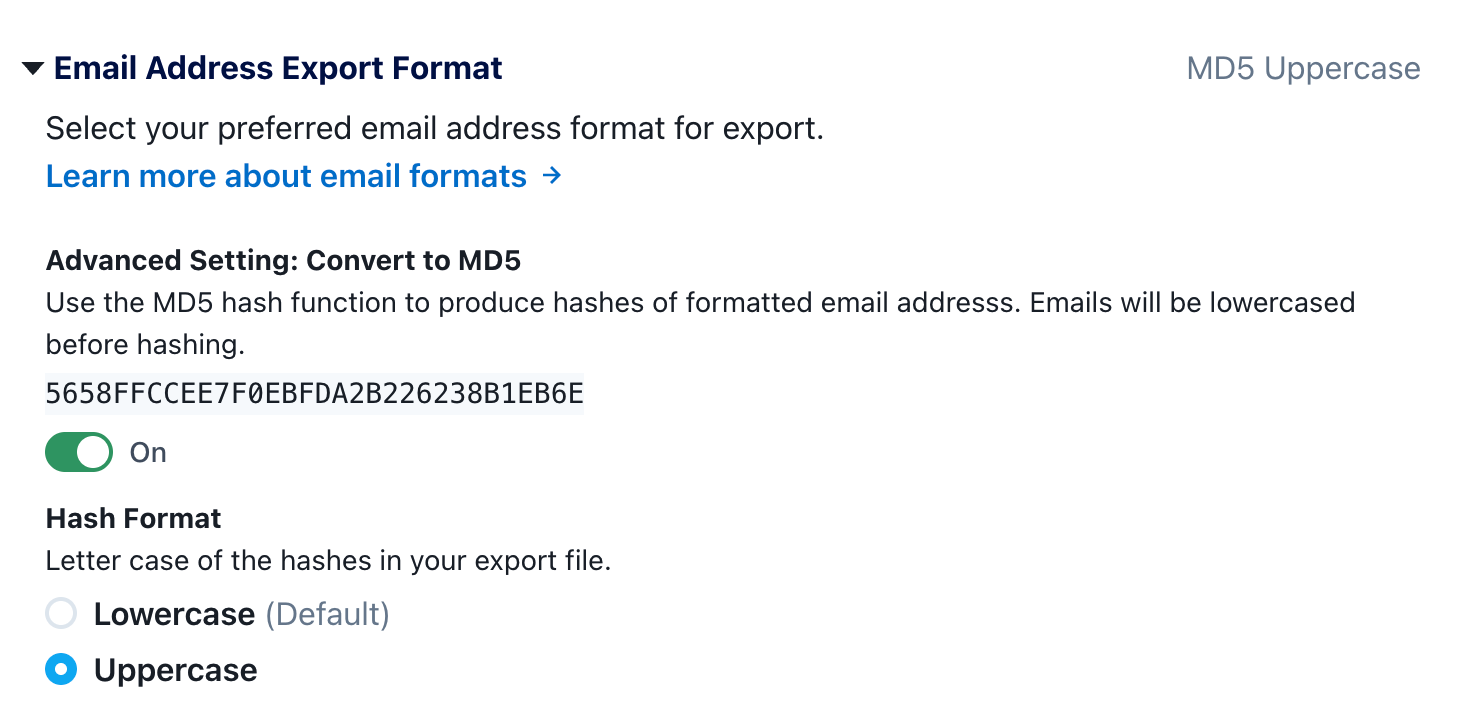
Click on the Email Address Export Format section to expose the option Advanced Setting: Convert to MD5. When you toggle this on, instead of including the email address in the export, we will lowercase the email address and run it through the MD5 hash function and just include the resulting hashes in the export. We also by default de-select all other columns for the export, since usually when users are creating hashes they don't want to include any other identifiable information about a specific phone number.
Important: Before exporting, confirm the MD5 case format expected by the system receiving the file. If you're providing the hash file to someone else, specify whether the exported hashes are lowercase or uppercase.