iOS 27 Launch Observations
Last updated: September 29, 2026
Apple officially launched iOS 27 on September 14, 2026.
As we saw in the iOS 27 beta versions, the Unknown Sender Inbox remains off by default and the Spam folder is on by default in the official launch.
Key Observations:
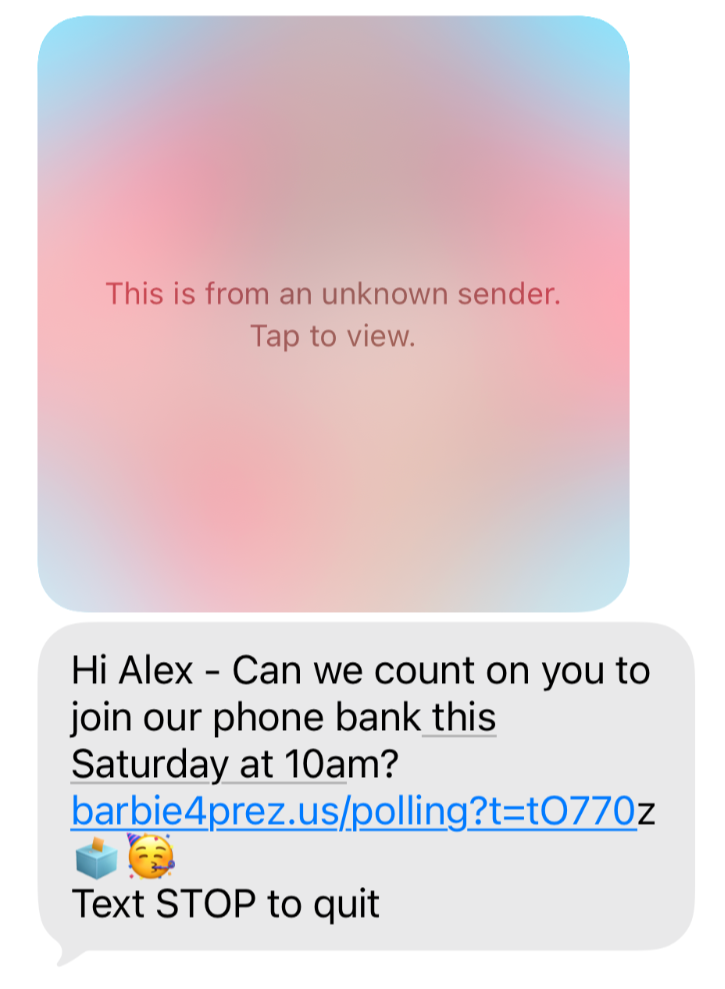
When Unknown Sender Inbox is enabled, iOS 27 blurs images received from an unknown number with text over the image that reads "This is from an unknown sender. Tap to view." (this behavior has changed since the iOS 27 betas). We’re observing some variation in which instead of images being blurred they will appear as a file in the text thread. When the Unknown Sender Inbox is toggled off, images appear normally in recipients’ text threads.
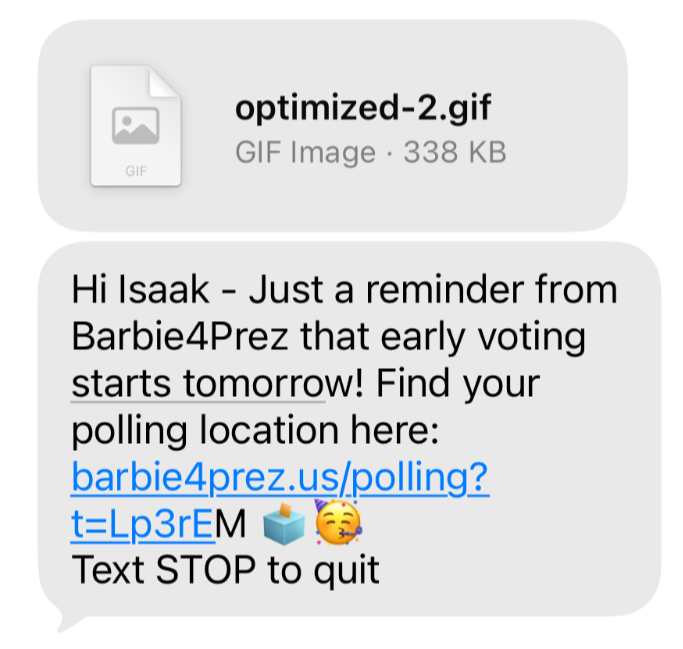
We’re observing that gifs continue to appear as a file in the text thread, instead of showing the image directly. Recipients can still click the file and it will open fullscreen in the Messages app. Gifs appear as files regardless of whether the Unknown Sender Inbox is toggled on or off.
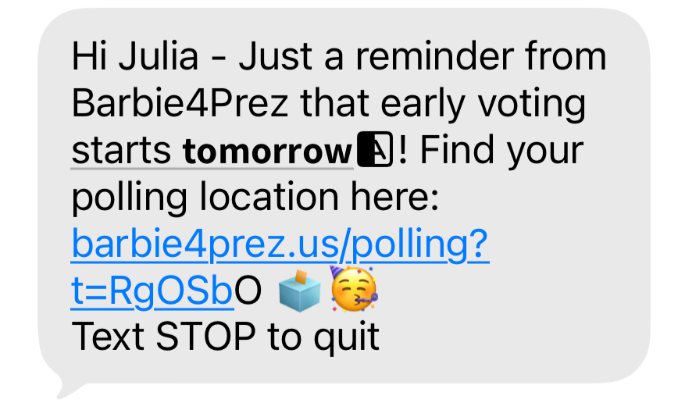
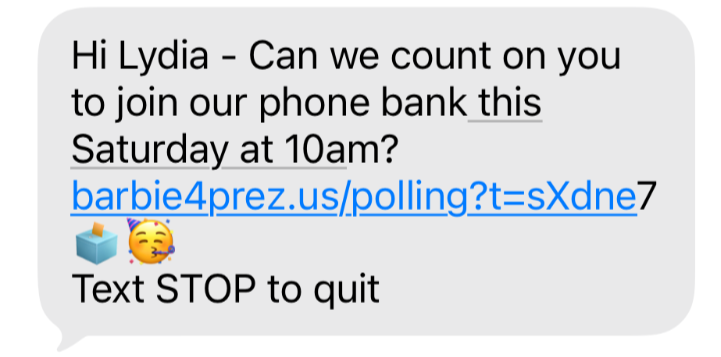
iOS 27 continues to contain a bug in which, on some devices, the last character of a link doesn't show the usual link formatting (blue and underlined). This is cosmetic only. The full URL still comes through when clicked, so refcodes and redirects aren't affected, and no action is needed on your end. We've reported the issue to Apple but unfortunately this issue that appeared in the beta version is still an issue in the version that officially launched this month.
In some instances, bold characters in messages appear with an extra icon not visible when drafting the message. This may be associated with copying and pasting bolded message text into the broadcast editor. We recommend you use the formatter dropdown in Switchboard to avoid this.