Billing
Last updated: May 5, 2026
When are invoices sent out?
Invoices are sent on the 3rd, for usage from the prior month. There are two options for payment terms:
Due on Receipt - your payment method will be charged three business days later.
Net30 - your invoice is due 30 days after you receive it and you can pay us via direct bank transfer (ACH/Wire) or check. Customers that have a good history of prompt payment can be granted Net30 payment terms - please reach out to billing@oneswitchboard.com if you have any questions.
Who are invoices sent to?
Invoices and receipts will be sent to the invoice recipients each month. You can list as many emails as you'd like.
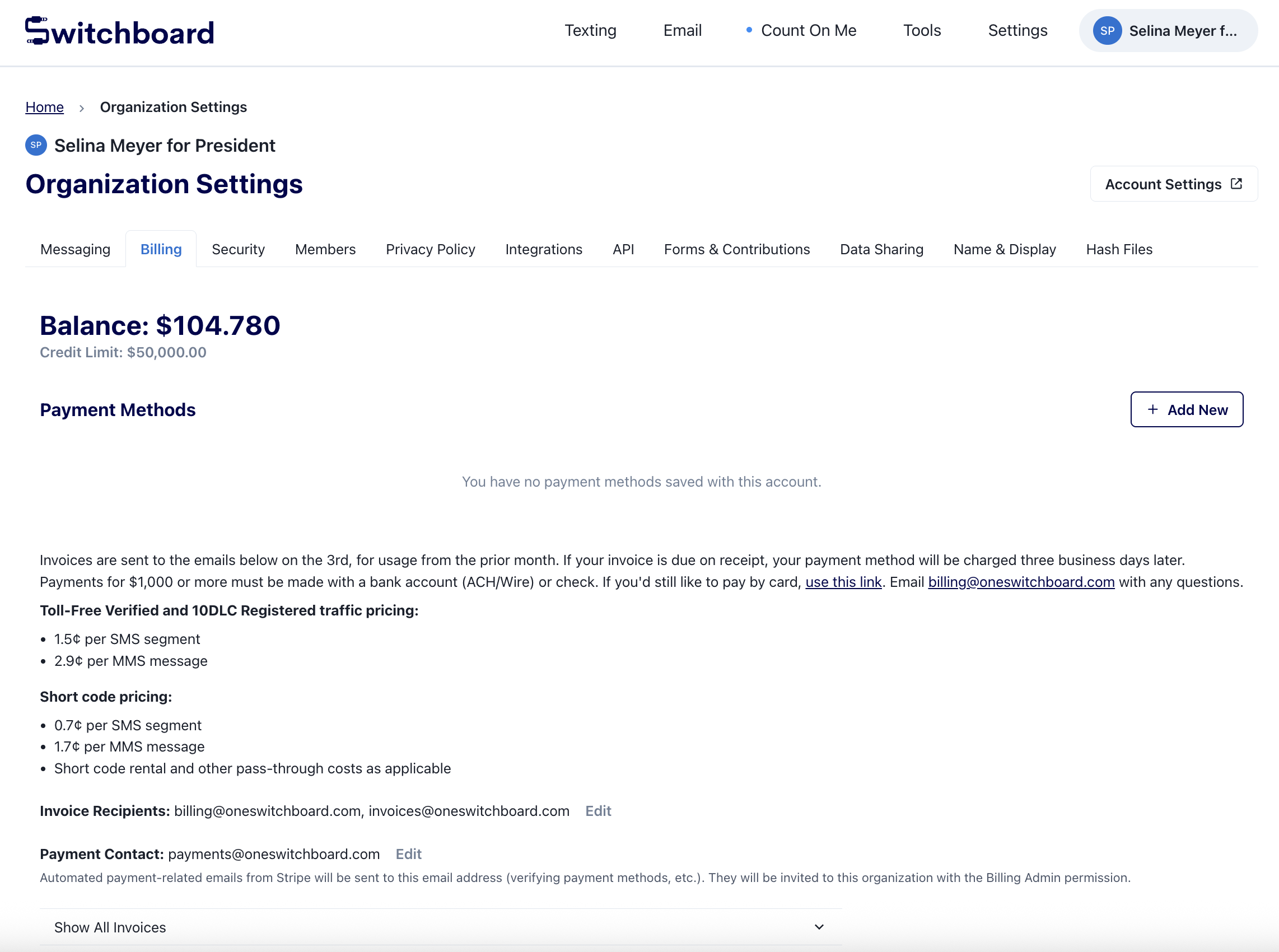
You can edit the invoice recipients on the billing page.
Invoice recipients are added to your account as a Billing Admin (which means they can make changes to payment methods, invoice recipients, and payment contacts) if they don't already have access.
Payment Methods
Your account comes with $30 of free credit! Once you've used the credit, we'll ask you to put a payment method on file on your billing page. You can add a card or bank account.
If you add a bank account, our payment processor (Stripe) may send microdeposits for you to verify. Depending on your bank, Stripe may send the account's Payment Contact an email to complete this process (takes a few business days).
If you have Net30 payment terms, we do not require a payment method on file.
Payments for $1,000 or more must be made with a bank account (ACH/Wire) or check. If you'd still like to pay by card, you can use this link (need to be logged in to access). Email us with any questions.
What is the Payment Contact and how is that different from the Invoice Recipients?
This email will receive automated emails from Stripe if/when you add a bank account. Payment Contacts are not automatically added to the invoice recipient list but are added to your Organization with Billing Admin permissions if they don't already have access.
There can only be one Payment Contact email, so please choose someone who has access to the Organization's bank account or be sure to forward the Stripe emails to them as needed.
How is my account balance calculated?
The balance is calculated as the difference in your “Credits” (i.e. any payment you have submitted or any Switchboard credits you have received) and "Charges" (i.e. cost of messages sent from your account).
You can view itemized charges and credits further down on the page.
For example: If you spent $1,000 on Switchboard, received $30 in credit when you opened your account, and recently paid an invoice for $500. Your current balance would be $470.
Where can I access or update billing information?
Each organization has a billing page here. On this page, you can see detailed information about your charges and credits, view/download invoices, update invoice recipients, and change the payment contact.
Where can I view my invoices?
You can download any current or past invoices here. The status will tell you if the invoice has been marked as paid in our system.
If you are a Billing Admin for multiple Switchboard Organizations, you can see all your invoices here.
What is my credit limit?
Credit limits are managed on a per-Organization basis. Here's what you need to know:
Credit limits don't reset monthly, they are continuous and calculated based on your open invoices and monthly spend-to-date.
You can continue sending broadcasts until you exceed your credit limit
The system will warn you when you're approaching your limit (at 90%)
Contact billing@oneswitchboard.com if you would like to adjust your credit limit. Some accounts may see their credit limits get decreased if there is an overdue invoice and/or history of payment delinquency.